HubSpot
This case study briefly covers two projects I worked on while at HubSpot on the Rep Messaging team in ServiceHub.
Role: Senior Product Designer I
Company: HubSpot
Timeline: Fall 2023 - Spring 2024
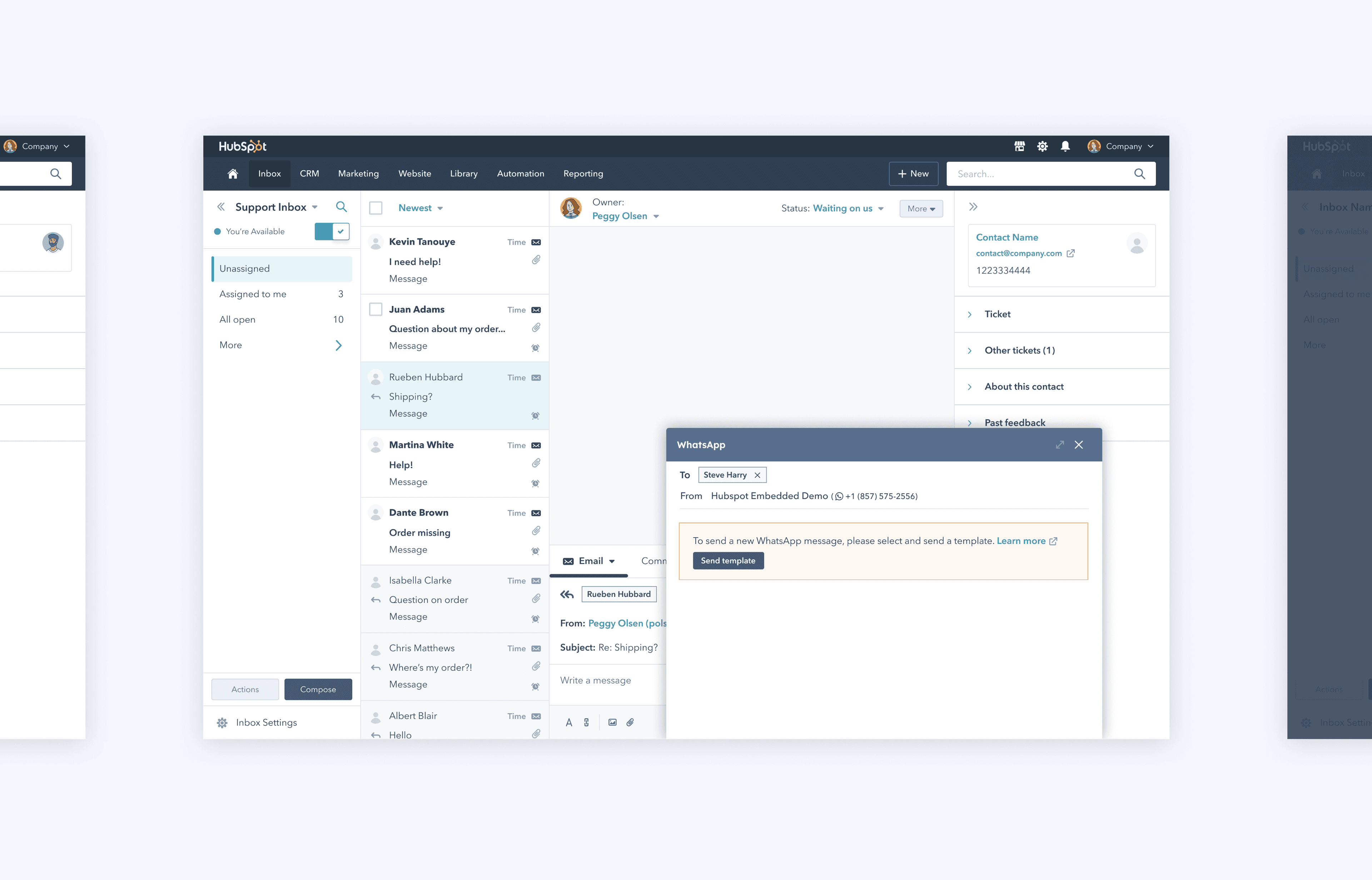
Bringing WhatsApp to the Inbox and CRM
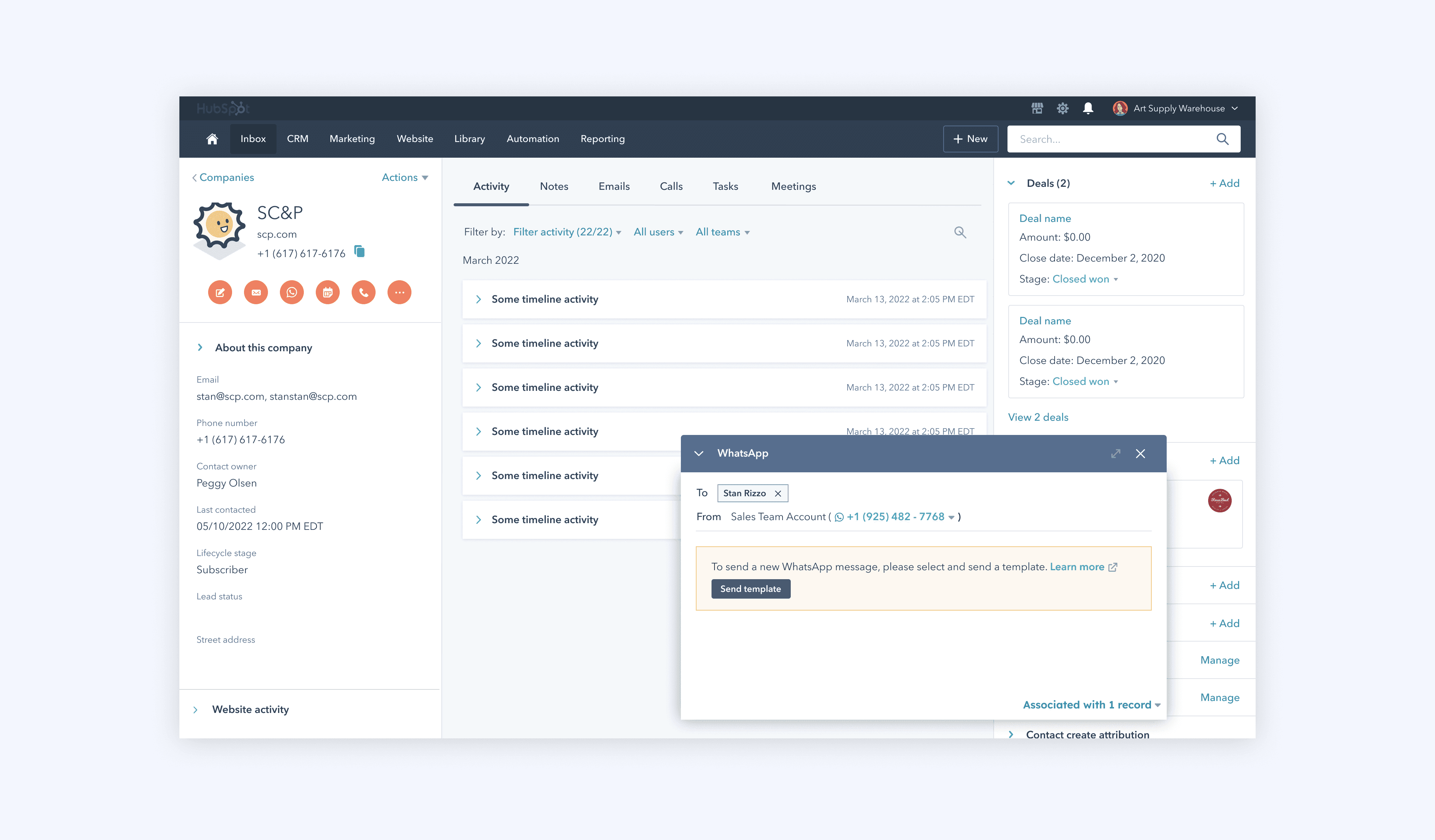
When I joined HubSpot, the team was introducing WhatsApp as a new messaging channel. Unlike existing channels, WhatsApp introduced unique constraints, most notably the requirement to use pre-approved message templates for outbound communication. Businesses couldn’t initiate conversations with free-form messages, which fundamentally changed how outreach worked. This created a design challenge: no other channel within HubSpot followed this model. We needed to integrate WhatsApp seamlessly into both the Inbox and the CRM, two distinct workspaces that supported messaging, while ensuring the experience felt consistent and intuitive across both.
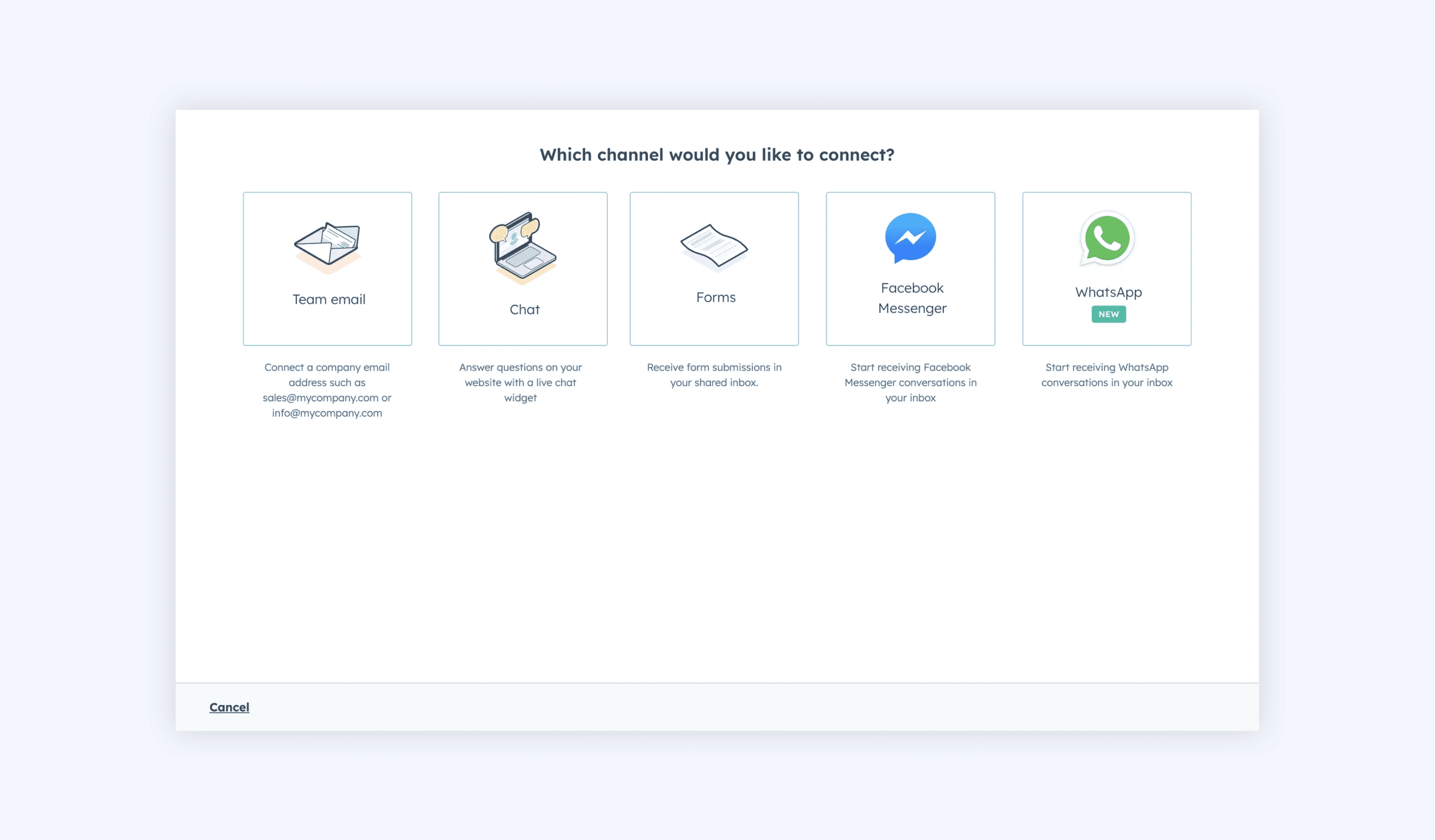
Select and send template
When composing a message in the Inbox, users start by clicking Compose, which opens a window to select both the recipient and the WhatsApp account they want to send from. From there, they can choose Send template to browse and select a pre-approved message template for their outreach.
WhatsApp in the Inbox
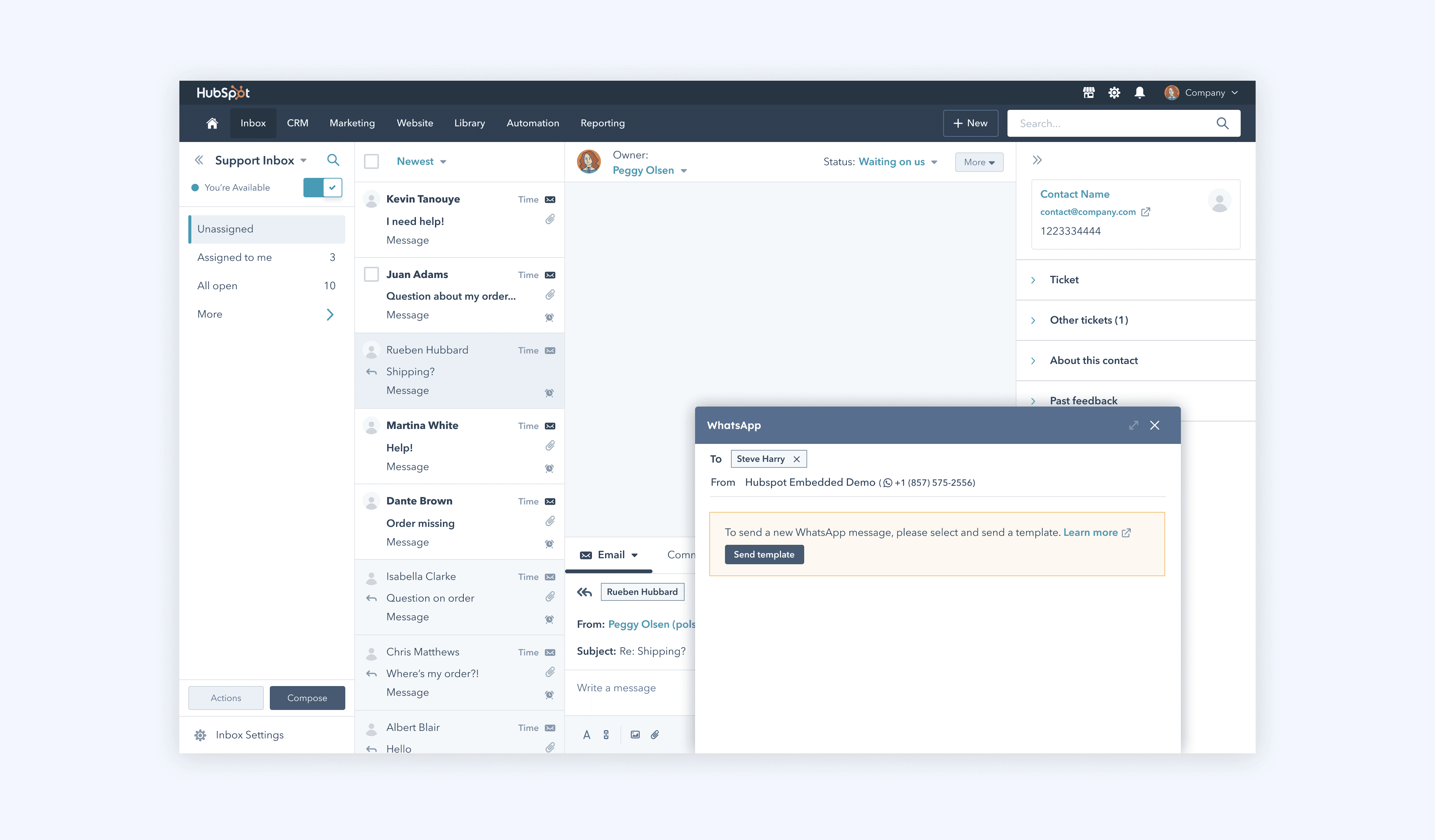
Selecting template
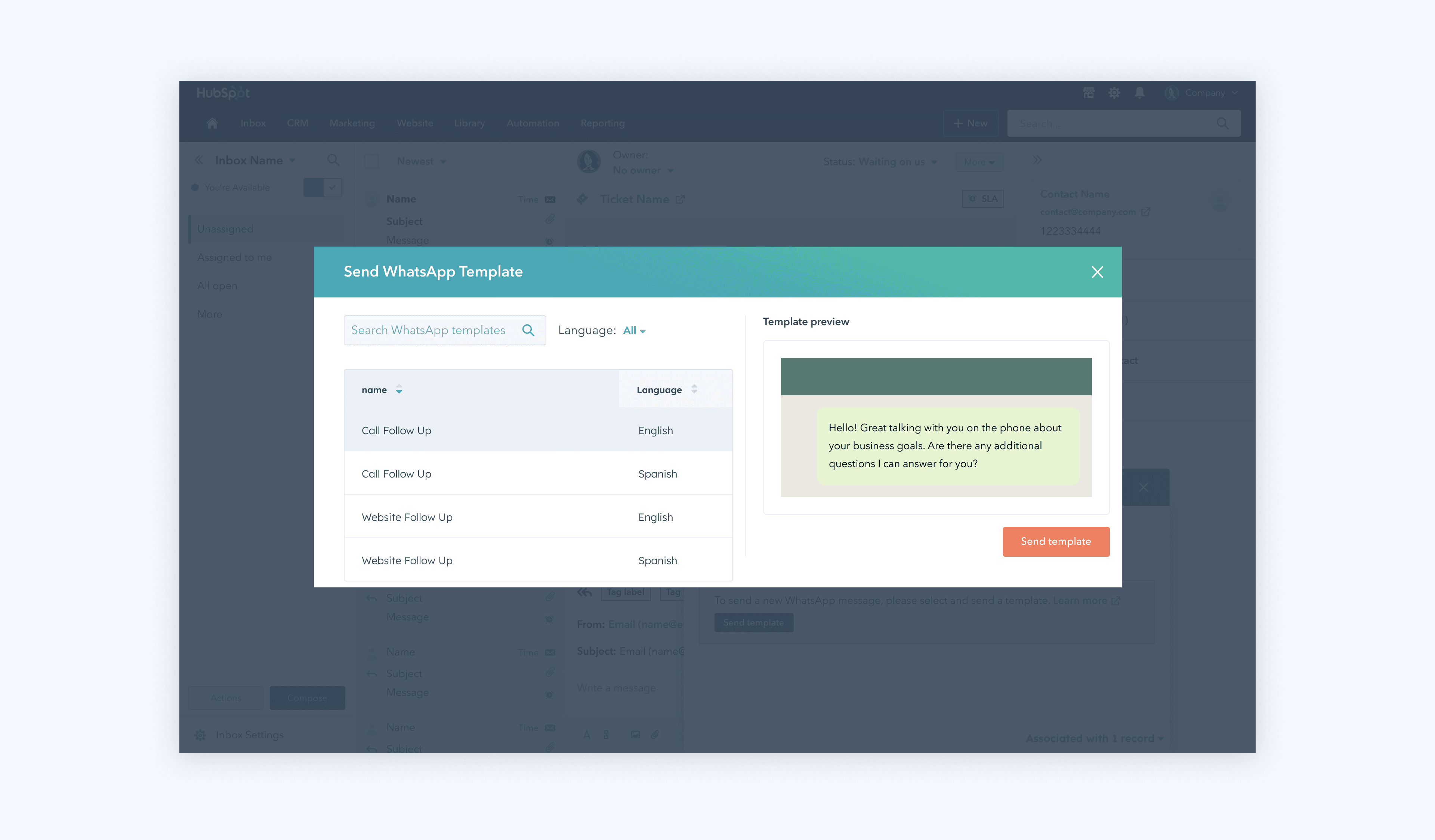
Wait for response
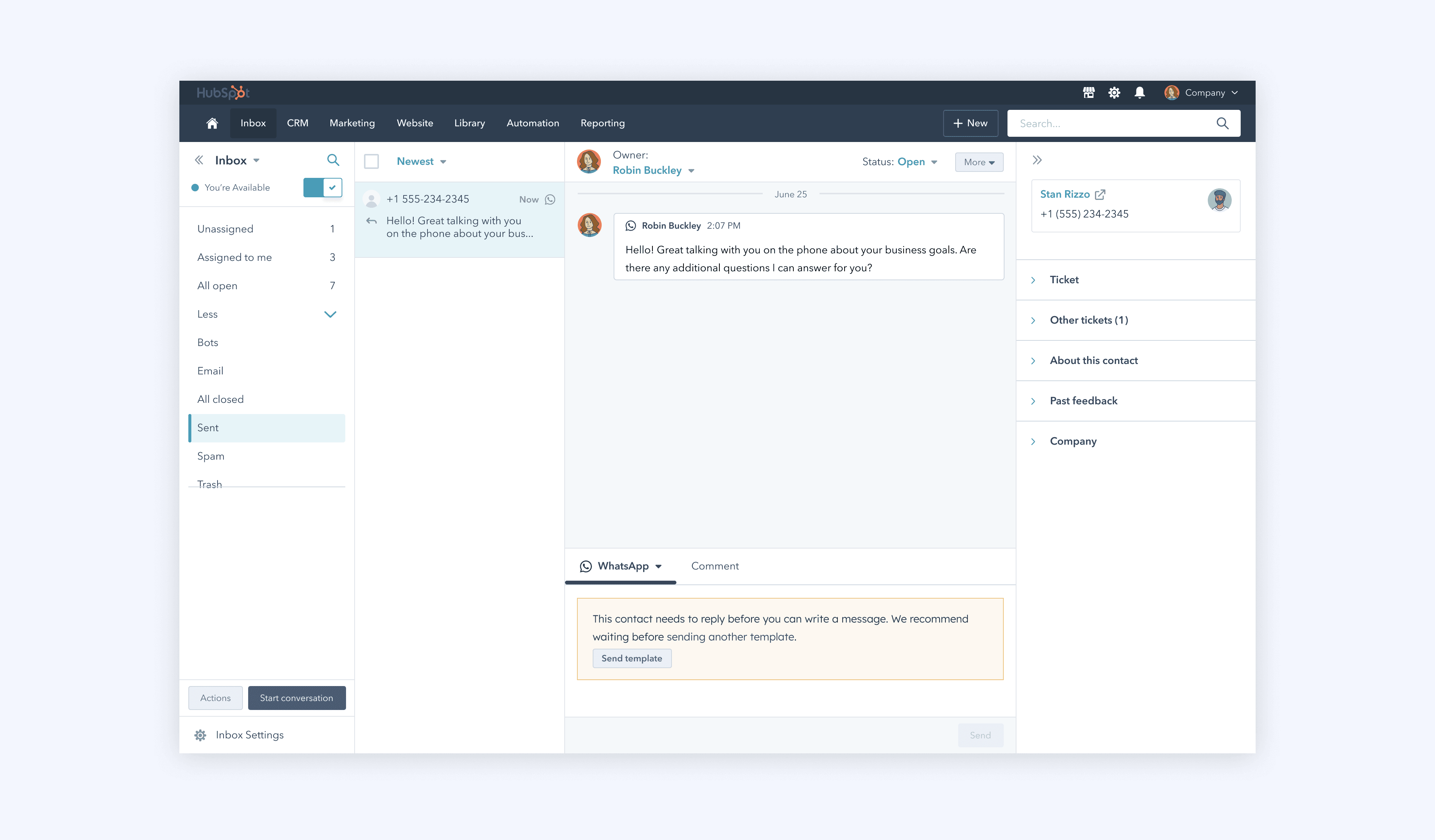
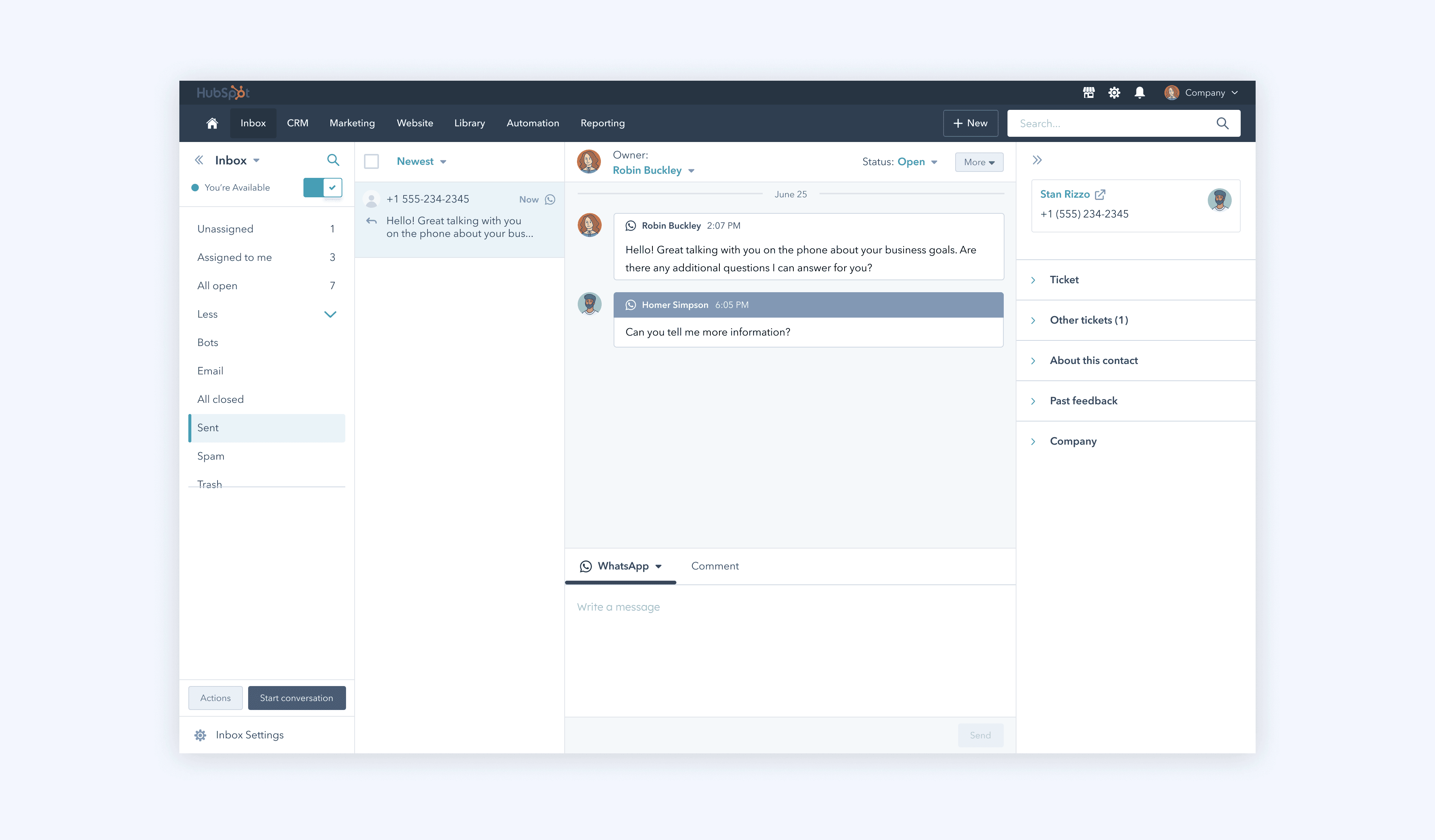
After sending a template, users must wait for the recipient to respond before they can send another message. This constraint is unique to WhatsApp and unlike any other channel in the product. Because there were few existing patterns to draw from, we needed to both enforce and explain this behavior. We disabled the text editor to prevent additional messages, while also providing clear guidance so users understood why they were blocked. Once the recipient replies, a 24-hour window opens during which users can continue the conversation freely. After that window closes, they must use another pre-approved template to reinitiate the conversation.
User must wait for response
User can continue the conversation
Limits
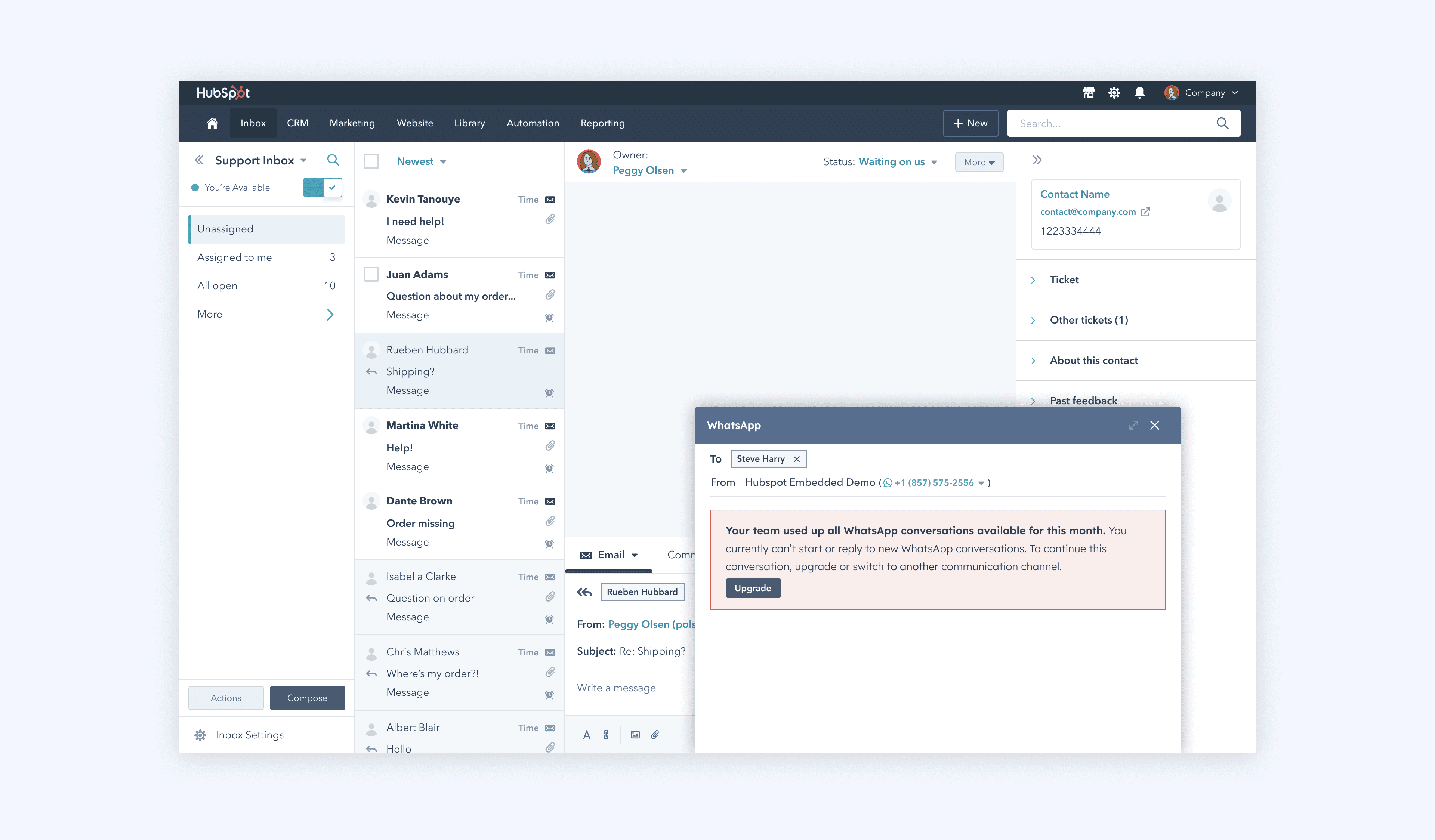
While some channels, like calling, also had usage limits, they followed fundamentally different interaction patterns than messaging. As a result, existing limit patterns didn’t translate well to WhatsApp. We needed to define a new pattern for handling cases where users reached their monthly conversation limit.
WhatsApp in the CRM
Because our team owned both the Inbox text editor and the CRM messaging component, we were able to keep interaction patterns consistent across both workspaces.
Reply Recommendations
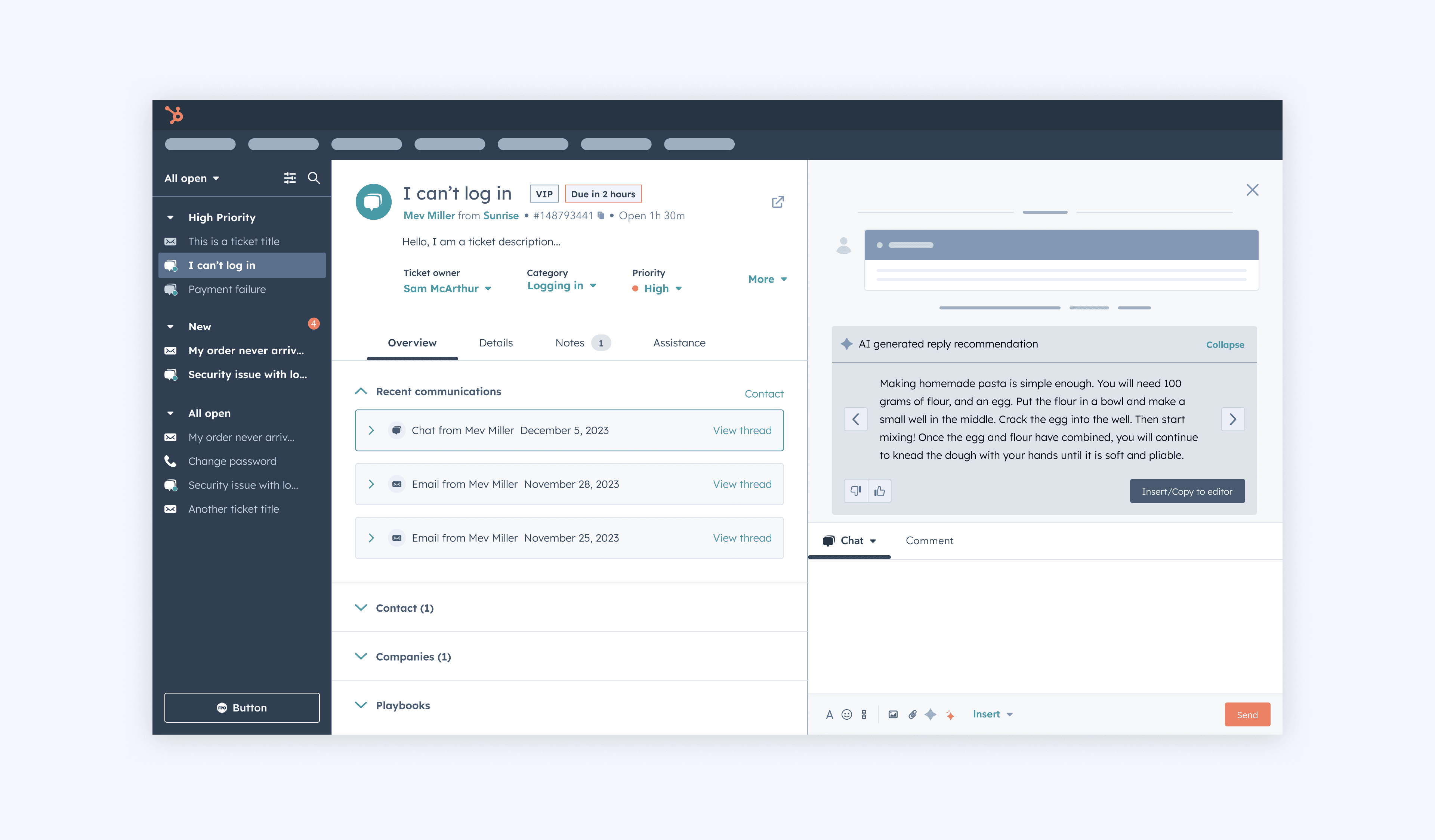
Reply Recommendations leverage the same backend as the Customer Agent to generate suggested responses for service reps. Users can insert a recommendation into the text editor, review its sources, or dismiss it.
I was responsible for refining the end-to-end experience for this feature after inheriting an initial design that was expected to ship immediately. After reviewing it, I identified several UX issues that impacted clarity and trust, particularly around how recommendations were presented and understood. Working within a tight timeline, I led a rapid redesign to improve usability while still meeting delivery expectations.
In parallel, I adapted the experience to align with evolving AI styling guidelines at HubSpot, applying new patterns that were still being defined. This required making thoughtful design decisions in areas where standards were not yet fully established.
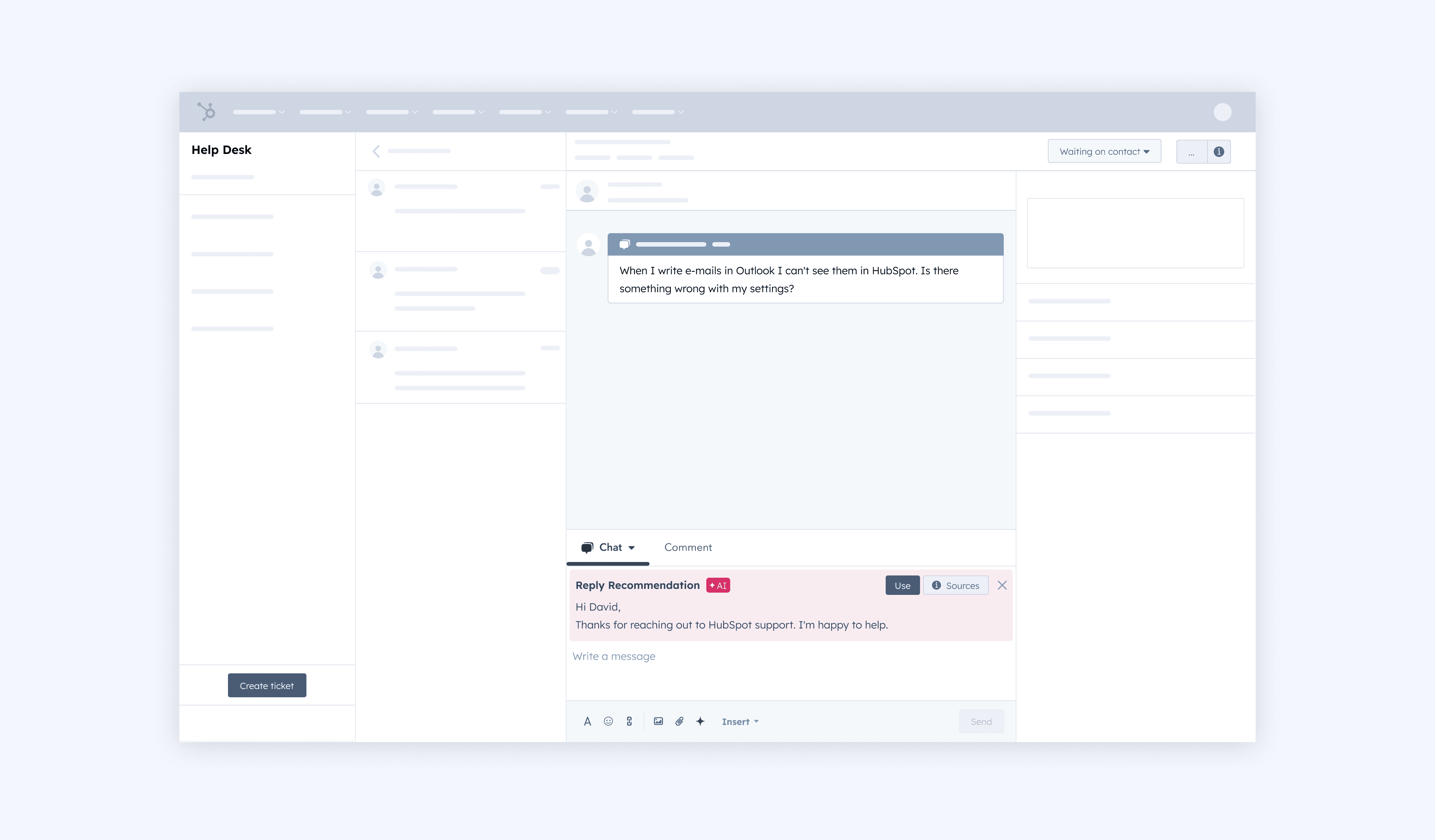
Previous AI styling
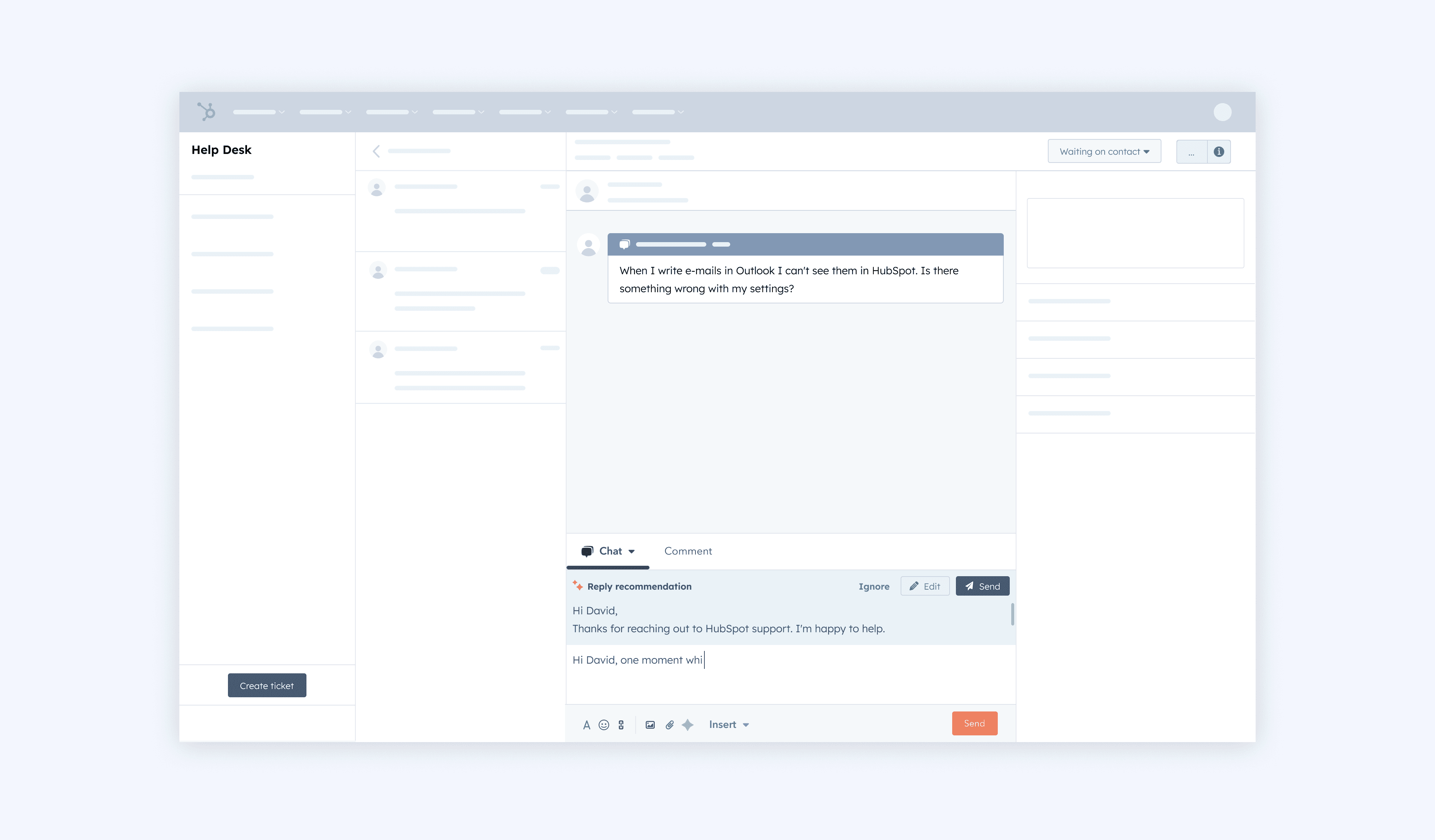
Other explorations
As I was exploring some other options, the Help Desk team was also considering a redesign of their workspace. Taking this into account, I rapidly explored some designs for Reply Recommendations.
Multiple Reply Recommendations?
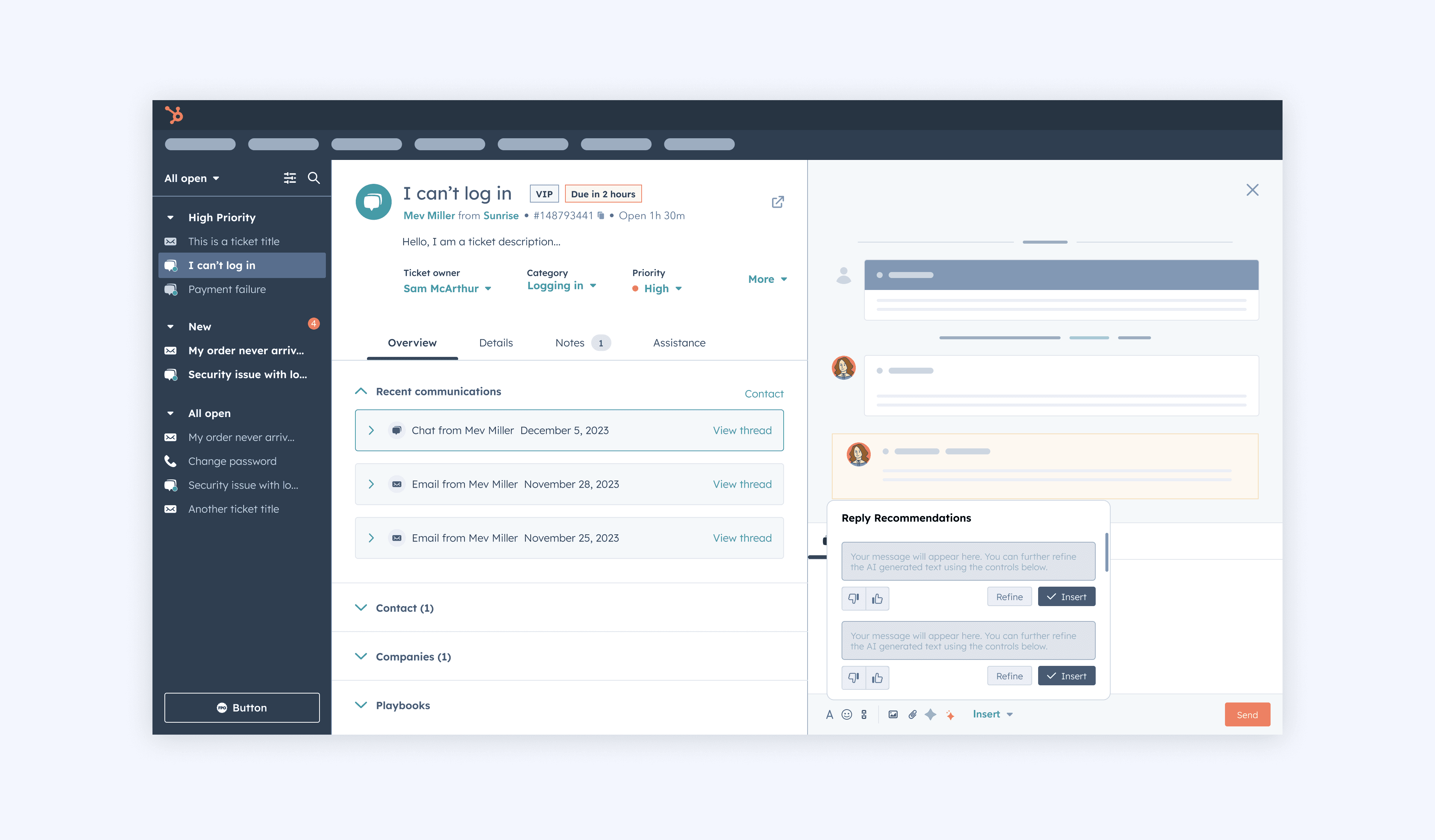
Modal for Reply Recommendations + Feedback
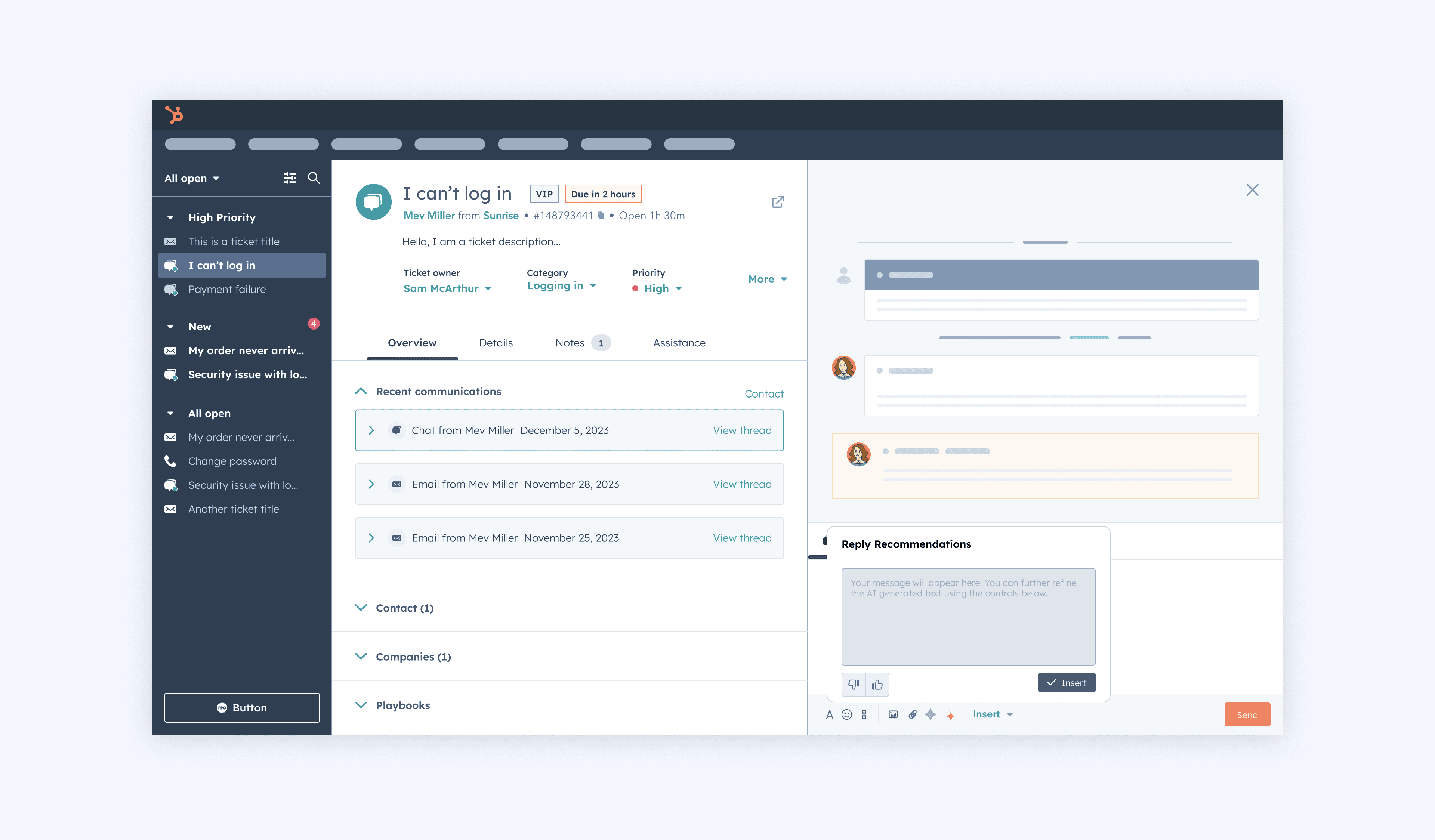
Pattern similar to internal Flywheel design
© 2026 Kevin Tanouye